
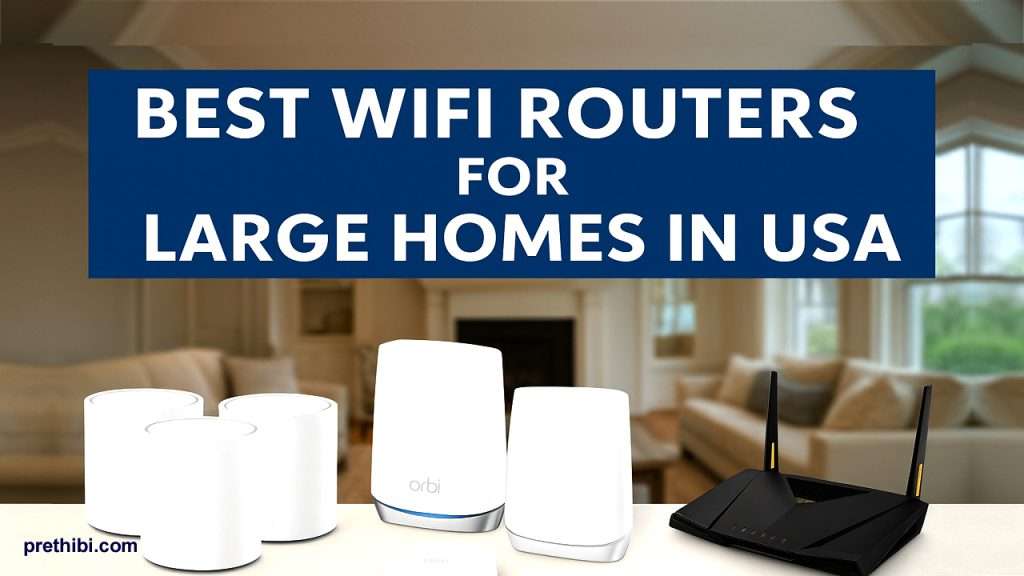
Best WiFi Routers for Large Homes in USA
If your house is big, your WiFi problems are usually big too. Buffering on Netflix in one room, dropped Zoom calls in another, and that one bedroom that has zero signal. The solution almost always starts with the right router setup—especially for large homes in the USA where you may have multi-story houses, basements, garages, and backyards to cover.
In this 2026 guide, we’ll break down the best WiFi routers for large homes, focusing on:
- Whole-home coverage (in sq. ft.)
- Real-world performance (WiFi 6 / WiFi 6E / WiFi 7)
- Mesh vs single router setups
- Which models are best for big US homes, multi-gig internet plans, and smart homes
We’ll also give practical tips so you don’t overspend on features you’ll never use.
Read More- Top 10 Car Tech Gadgets for Safe Driving in the USA
1. What Large Homes in the USA Really Need from a Router
Before we jump into product names, let’s quickly define what “large home” means and what you actually need from a router.
1.1 What counts as a “large home”?
In US context, you’re typically in “large home” territory if:
- Your home is over 2,500–3,000 sq. ft.
- You have two or more floors
- You want WiFi in the garage, basement, or backyard
- You have 30+ devices (phones, laptops, TVs, cameras, smart speakers, etc.)
Most standard single routers struggle to push strong signal through all that square footage plus walls, floors, and appliances. That’s where mesh systems shine.
1.2 Key features to look for (for large homes)
When you’re choosing the best WiFi router for a large home, focus on:
- Coverage area (sq. ft.)
- Look for at least 4,000–5,000 sq. ft. coverage for typical large homes.
- For very large homes (5,000–8,000+ sq. ft.), go for mesh systems rated higher.
- WiFi standard: WiFi 6, 6E, or 7
- WiFi 6 (802.11ax) is now the baseline for fast, efficient networks.
- WiFi 6E adds the new 6 GHz band, less congestion and more room for high speeds.
- WiFi 7 is starting to roll out in 2025 and offers even more speed and efficiency, but it’s still early and more expensive.
- Mesh vs single router
- Mesh WiFi is ideal for large and oddly shaped homes. Multiple nodes create a “blanket” of coverage.
- Single high-end router can work if your home is more open and you can place it in a central location.
- Backhaul and bands
- Tri-band/quad-band routers often dedicate one band for communication between nodes (backhaul), improving stability and speeds across the home.
- Ethernet ports and wired options
- Wired backhaul (connecting nodes via Ethernet) boosts performance in very large or WiFi-unfriendly homes (thick walls, metal, etc.).
- Security & parental controls
- Built-in security suites, regular firmware updates, and parental controls are now standard on most mid-range and premium routers.
2. Mesh WiFi vs Single Router: Which Is Better for Large Homes?
For most large US homes, the honest answer is:
Mesh WiFi is usually better than a single router.
2.1 When to choose Mesh WiFi
Go for a mesh WiFi system if:
- Your home is multi-story (two or three floors)
- You have dead zones in far rooms
- You want roaming (walk from room to room without dropping video calls)
- You have a lot of smart devices spread across the house
Mesh systems like TP-Link Deco XE75, Netgear Orbi, Eero Pro 6E, and Asus ZenWiFi XT8 are designed exactly for this.
2.2 When a single router is enough
A single powerful router might be enough if:
- Your house is around 2,500–3,500 sq. ft., fairly open
- You can put the router in an ideal central spot
- You’re okay with adding a cheap access point or extender later if needed
High-end routers like Asus RT-AX88U and Netgear Nighthawk RAXE500 offer excellent range and performance for this use case.
3. Best WiFi Routers for Large Homes in USA (2026 Picks)
Let’s get into specific models. These are chosen based on coverage, performance, features, and availability in the US.
We’ll break them into mesh systems (best for most large homes) and single routers (for simpler setups).
3.1 TP-Link Deco XE75 – Best Overall Mesh for Most Large Homes
If you want a fast, future-proof WiFi 6E mesh system that doesn’t cost as much as the ultra-premium kits, TP-Link Deco XE75 is a fantastic pick.
- Type: Tri-Band WiFi 6E mesh system
- Coverage: Up to around 7,200 sq. ft. for the 3-pack
- Bands: 2.4 GHz, 5 GHz, 6 GHz
- Top speed: Up to AXE5400 (theoretical 5,400 Mbps)
- Why it’s great for large homes in the USA
- The 3-pack can comfortably handle most large US homes (3–5 bedrooms, 2–3 floors).
- WiFi 6E’s 6 GHz band gives you a clean, less congested channel for newer laptops and phones.
- TP-Link’s Deco app is easy to use for beginners but still offers parental controls and basic QoS.
Best for you if:
- You want strong coverage and good price-to-performance.
- You have fiber or cable internet in the 500 Mbps – 1 Gbps range.
- You want something that “just works” with minimal tweaking.
3.2 Netgear Orbi RBKE963 – Best Premium Mesh for Very Large Homes
If budget is less of an issue and you want “overkill” performance and coverage, the Netgear Orbi RBKE963 (Orbi 960 Series) is a beast.
- Type: Quad-Band WiFi 6E mesh system
- Coverage: Up to around 9,000 sq. ft. for a 3-pack
- Top speed: Up to 10.8 Gbps combined throughput
- Devices: Designed to handle 200+ devices
- Why it’s amazing for big USA homes
- Easily covers large luxury homes, big multi-story houses, or homes plus yard/pool area.
- Quad-band design helps ensure fast backhaul between nodes, keeping speeds high even far from the main router.
- Excellent choice if you have multi-gig internet and want to make full use of it.
Best for you if:
- Your home is 7,000–9,000+ sq. ft., or you want strong coverage in the yard/garage.
- You have multi-gig or 1 Gbps+ internet.
- You want one of the most powerful consumer mesh systems available.
3.3 Eero Pro 6E – Best for Smart Homes & Easy Setup
Amazon’s Eero Pro 6E is a WiFi 6E mesh system known for simplicity and great smart home integration.
- Type: WiFi 6E mesh
- Coverage: Up to 6,000 sq. ft. for a 3-pack
- Speed: Up to 2.3 Gbps combined wired + wireless
- Devices: Supports 100+ connected devices
Why US homeowners love it
- Extremely easy setup via the Eero app.
- Great for homes with Alexa and lots of smart devices—Eero integrates tightly with the Amazon ecosystem.
- Good for medium-to-large homes where you want reliable, consistent WiFi more than maxed-out raw speed.
Best for you if:
- You’re not super technical and want something simple and reliable.
- Your home is 3,000–5,500 sq. ft. and you want a neat, minimal design.
- You have a lot of smart home gadgets and Alexa devices.
3.4 Asus ZenWiFi XT8 – Best Feature-Rich Mesh for Power Users
The Asus ZenWiFi AX (XT8) is a tri-band WiFi 6 mesh system with solid coverage and advanced features.
- Type: Tri-Band WiFi 6 mesh system
- Coverage: Up to 5,500 sq. ft. for a 2-pack
- Speed: AX6600 class (up to 6,600 Mbps combined)
- Features: AiProtection security, parental controls, AiMesh support
- Why it’s great for large homes
- Ideal if you want a balance of strong coverage, high speed, and advanced settings.
- Works well for gaming + streaming + work-from-home scenarios.
- You can expand using other Asus AiMesh-compatible routers if you move to a bigger home later.
- Best for you if:
- You’re comfortable with more detailed router settings.
- You want security features and customization, not just plug-and-play.
- Your home is around 4,000–5,500 sq. ft. with demanding users.
3.5 Google Nest Wifi Pro – Best Mesh for Non-Techy Families
The Google Nest Wifi Pro is a WiFi 6E mesh system with a focus on simplicity and integration with Google’s ecosystem.
- Type: WiFi 6E mesh
- Coverage: Up to 2,200 sq. ft. per router
- Speed: AXE5400 (up to 5.4 Gbps combined)
- Devices: Handles up to 300 devices per router
Why it works for large homes
- A 3-pack can cover large homes if placed properly (around 6,000–6,600 sq. ft.).
- The Google Home app makes network management, device prioritization, and parental controls very straightforward.
Best for you if:
- You’re deep into the Google ecosystem (Android, Chromecast, Nest devices).
- You want a router that looks minimal and blends into your home décor.
- Your household wants basic controls (pausing WiFi, bedtime schedules) without digging through complicated settings.
3.6 Asus RT-AX88U – Best Standalone Router for Large Homes
The Asus RT-AX88U is one of the most popular high-end WiFi 6 routers and still a strong choice in 2025.
- Type: Dual-Band WiFi 6 router
- Coverage: Designed for very large homes, marketing and third-party specs suggest around 4,800–5,900 sq. ft. in open space
- Speed: Up to 6,000 Mbps combined (AX6000 class)
- Extras: Gaming features, AiProtection security, Adaptive QoS, AiMesh support
Why it’s good for large homes
- If you can place it centrally and your home isn’t chopped up by thick walls, this router can cover a lot of area.
- Fantastic if you want a high-end router now and the option to add more Asus AiMesh nodes later.
Best for you if:
- You’re a gamer or power user and want a powerful router at the center of your network.
- You prefer a single-router setup (at least to start).
- You like tweaking settings, QoS, and custom configurations.
3.7 Netgear Nighthawk RAXE500 – Best Performance Router for High-Speed Internet
If you’d rather avoid mesh and just get a monster router, the Netgear Nighthawk RAXE500 is a top-tier WiFi 6E router.
- Type: Tri-Band WiFi 6E router
- Coverage: Up to 3,500 sq. ft.
- Speed: Up to 10.8 Gbps combined; 12-stream WiFi
- Features: WiFi 6E 6 GHz band, 2.5G Ethernet, built-in security, parental controls
Why it works for big homes
- Perfect for open-plan homes where the central router can reach most rooms.
- Great for multi-gig internet and 4K/8K streaming plus gaming.
Best for you if:
- You have very fast internet and want one powerful router.
- You’re okay adding a wired access point later for edge rooms if needed.
- You want top-end speeds for gaming and streaming.
4. How to Choose the Best WiFi Router for Your Large Home
Let’s narrow it down based on your situation.
4.1 By home size
- Up to ~4,000 sq. ft.
- Single router options: Asus RT-AX88U, Netgear Nighthawk RAXE500
- Or 2-pack mesh: Asus ZenWiFi XT8, TP-Link Deco XE75 (2-pack)
- 4,000–6,000 sq. ft.
- TP-Link Deco XE75 (3-pack)
- Eero Pro 6E (3-pack)
- Google Nest Wifi Pro (3-pack)
- 6,000–9,000+ sq. ft.
- Netgear Orbi RBKE963 (3-pack)
- Deco XE75 or ZenWiFi XT8 with extra node(s)
4.2 By internet speed
- Up to 300 Mbps:
- Any WiFi 6 mesh or router on this list is fine.
- 300–1,000 Mbps (1 Gbps):
- Aim for WiFi 6 or 6E with decent CPU and tri-band where possible (Deco XE75, ZenWiFi XT8, Eero Pro 6E, Nest Wifi Pro).
- Multi-gig plans (2 Gbps+):
- Go for Netgear Orbi RBKE963, Nighthawk RAXE500, or newer WiFi 7 mesh systems if your budget allows.
4.3 By type of user
- Non-tech households:
- Easiest options: Eero Pro 6E, Nest Wifi Pro, TP-Link Deco XE75
- Power users & tinkerers:
- Asus ZenWiFi XT8, Asus RT-AX88U, Netgear Nighthawk RAXE500
- Smart home heavy users (Alexa/Google):
- Alexa + Amazon ecosystem: Eero Pro 6E
- Google ecosystem: Nest Wifi Pro
5. Setup Tips to Get the Best Coverage in a Large Home
Even the best router will struggle if placed badly. A few quick tips:
- Place the main router centrally
- If using mesh, put the main node near your modem in as central a location as possible (not in a metal rack or closed cabinet).
- Avoid dead-zone killers
- Don’t hide routers behind TVs, in closets, or near thick walls, microwaves, or large appliances.
- Position mesh nodes properly
- Each node should be within good range of the previous one—not in the dead zone itself.
- Think of it like “handing off” signal from strong to strong, not strong to weak.
- Use wired backhaul if possible
- If your home is pre-wired with Ethernet, connect the mesh nodes via Ethernet for more stability and speed.
- Update firmware regularly
- Firmware updates can improve performance and fix security vulnerabilities, as seen with recent Asus security patches.
6. FAQ: Best WiFi Routers for Large Homes in USA
Q1. Is mesh WiFi always better than a single router for large homes?
Not always, but most of the time, yes.
For homes over ~3,000 sq. ft., especially multi-story, mesh gives more consistent coverage. A single high-end router can work in some open-plan homes, but mesh is usually the safer choice.
Q2. Do I need WiFi 6E or is WiFi 6 enough?
- WiFi 6 is enough for most people.
- WiFi 6E is worth it if:
- You have or will soon have newer devices that support 6 GHz.
- You live in a congested WiFi environment (dense neighborhoods, apartments).
- You want more “future-proofing” for the next several years.
Q3. Is WiFi 7 worth it in 2026?
WiFi 7 routers and mesh systems are arriving and are amazing on paper—but they’re expensive, and most of your devices probably don’t support WiFi 7 yet. If you like being an early adopter and have multi-gig fiber, go for it. If not, a good WiFi 6/6E system is still a smart choice in 2026.
Q4. How many mesh nodes do I need for a large home?
Rough rule of thumb:
- Up to 3,000 sq. ft.: 2 nodes may be enough.
- 3,000–5,500 sq. ft.: 3 nodes.
- 6,000–9,000+ sq. ft.: 3–4 nodes, depending on layout and wall materials.
Always start with the pack you buy, then add a node only if you still have dead spots.
7. Final Thoughts
For large homes in the USA, upgrading to the right router or mesh system is one of the best tech investments you can make. Instead of fighting with weak signals and dropped Zoom calls, you get stable, fast WiFi across the whole house.
- Want a balanced, future-proof option? Go with TP-Link Deco XE75.
- Want max performance and range? Choose Netgear Orbi RBKE963.
- Want simple, family-friendly WiFi? Try Eero Pro 6E or Nest Wifi Pro.
- Prefer a single powerful router? Asus RT-AX88U or Netgear Nighthawk RAXE500 are excellent picks.
Pick the model that matches your home size, internet speed, and tech comfort level, and your large home will finally have the WiFi it deserves.